Inside WanGP

More models.
More hardware.
One production system.

WanGP is not just a launcher. Its source combines memory-aware model loading, quantization, queues, media preparation, finishing tools and local automation into one coherent workspace.

The WanGP workflowModels · media tools · local automation

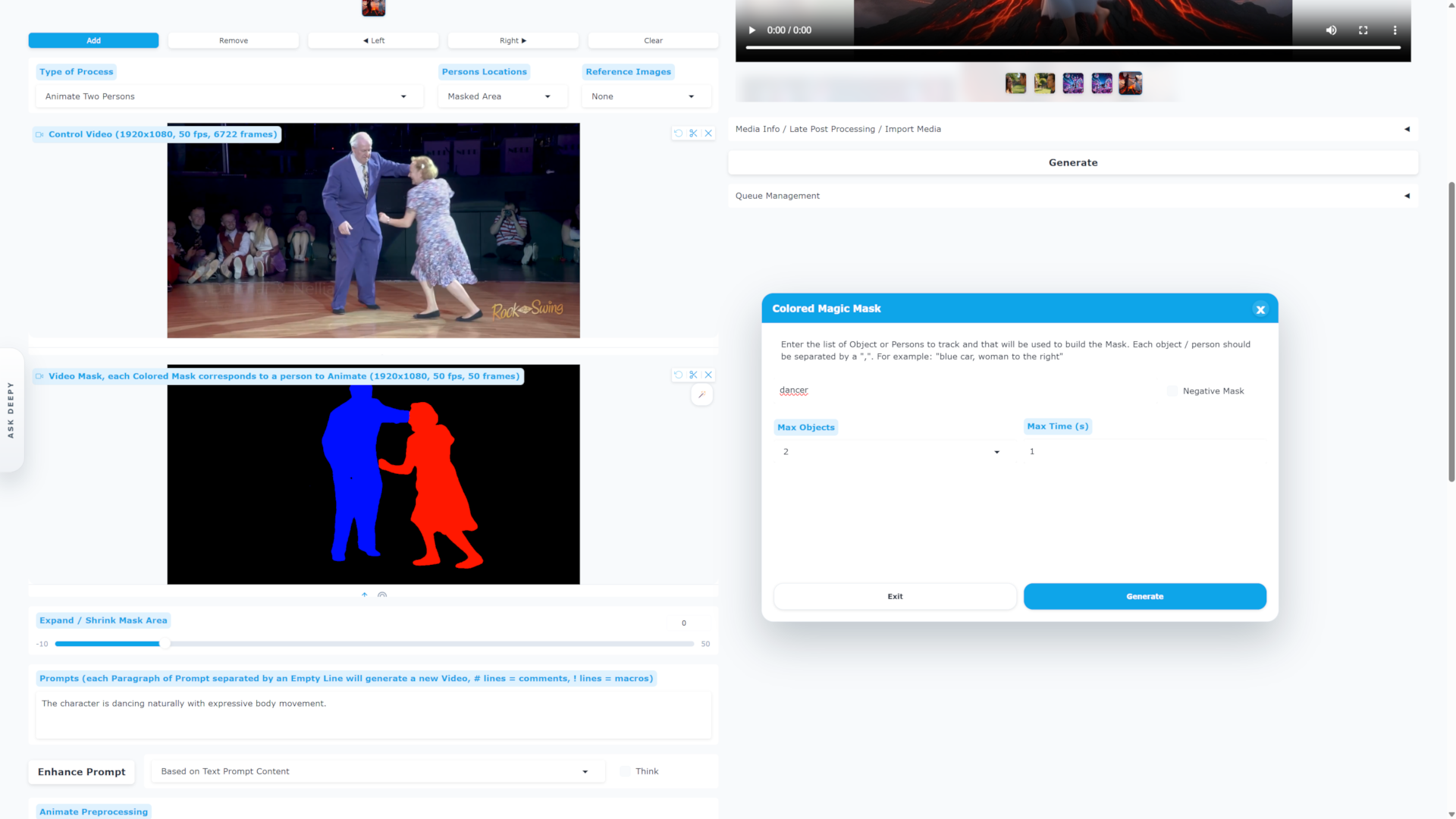
WanGP · Magic Mask & motion preparation

WanGP Magic Mask generating colored person masks from a control video

01 / MORE HARDWARE

Run more models on more hardware.

WanGP’s implementation adds the execution layer that turns a collection of open models into a practical local system.

01VRAM / RAM orchestration

Memory profiles

WanGP separates video, image and audio memory profiles and adapts offloading, pinned memory and asynchronous transfers to the machine. The goal is to keep the GPU busy without pretending every model fits every card.

Select models start at 6 GB VRAM
02More formats, more choices

Quantized checkpoints

The runtime routes multiple checkpoint formats through dedicated handlers, including scaled FP8, NV FP4, bitsandbytes NF4, Nunchaku INT4/FP4, INT8 ConvRot and GGUF.

int8 · fp8 · GGUF · NF4 · NV FP4
03Fetch what your setup needs

Hardware-aware downloads

Model definitions and download registries let WanGP select and fetch compatible transformer, encoder, upsampler and processor files rather than forcing one universal package on every GPU.

Models arrive on demand
04Old cards to new accelerators

Broad GPU reach

The project documents paths for older NVIDIA generations and current RTX hardware, plus dedicated AMD setup for supported RDNA 2, 3, 3.5 and 4 families.

NVIDIA + AMD
05Keep work moving

Queue & headless runs

The queue is a real workflow surface: jobs can be edited, paused, autosaved to portable bundles and processed without the web interface through the command line.

Save · resume · batch
06Built to connect

APIs, MCP & plugins

WanGP exposes local API, MCP and plugin surfaces for private automation. Plugin model extensions, upsamplers and audio processors are discovered and registered at startup.

Local automation surfaces
Under the hood

A routed runtime, not a list of download links.

The main application registers dedicated quantization handlers, maintains separate media memory profiles, autosaves queue bundles, discovers plugin model extensions and registers spatial, temporal and audio processors.

02 / CREATION TOOLS

Built for the work around generation.

Every stage—from preparing an input to finishing the soundtrack— stays within reach of the same local workspace.

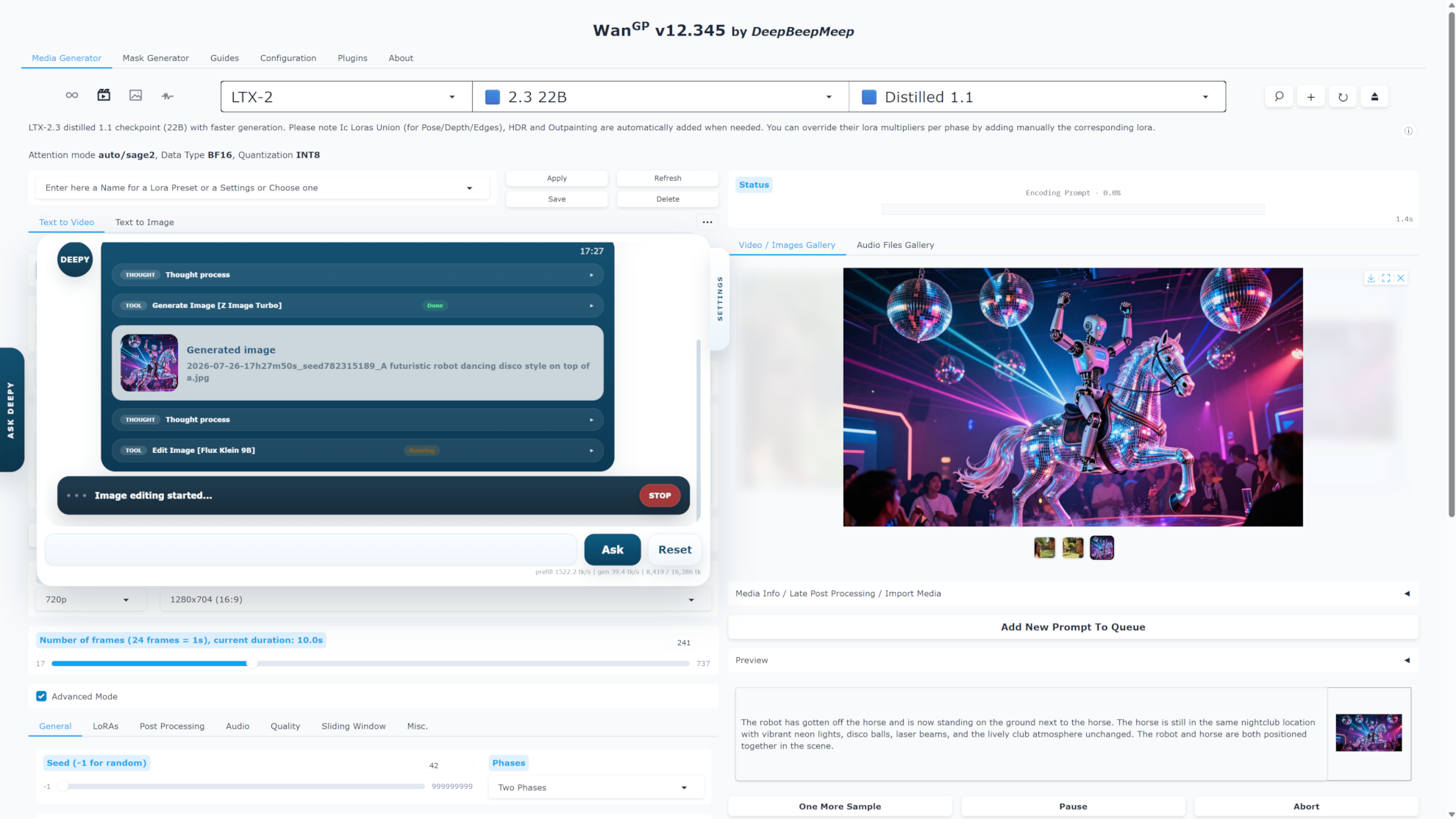
WanGP · Deepy & media tools

Deepy assistant using generation and editing tools inside WanGP

A connected workflow

Prepare → create → refine → reuse.

Inputs and outputs do not disappear between tools. Galleries, metadata, settings bundles, selected media and queue attachments make each result a starting point for the next operation.

01Prepare

Turn raw media into model-ready inputs.

Draw or expand masks, remove backgrounds, crop and resize references, extract pose, depth or optical flow, separate speakers, and remove noise or songs before generation.

  • Magic Mask
  • Background removal
  • Pose / depth / flow
  • Diarization
02Direct

Prompt each model in its own language.

Per-model prompt enhancers, reusable settings, macros, reference images and inline sliding-window commands help turn a concept into repeatable generation instructions.

  • Prompt enhancer
  • Templates
  • Macros
  • Reference media
03Organize

Treat outputs as reusable production assets.

Advanced video, image and audio galleries retain creation context. Browse results, inspect metadata, restore settings and feed an output directly into the next operation.

  • Media galleries
  • Metadata
  • Presets
  • Queue bundles
04Refine

Finish the image, motion and sound.

Temporal and spatial processor registries power frame interpolation and upscaling. Audio processors can build soundtracks, replace voices or remux existing video with a new track.

  • RIFE
  • FlashVSR
  • Lanczos
  • MMAudio
  • SeedVC
05Delegate

Let Deepy handle the repetitive work.

The low-VRAM offline assistant can orchestrate generation and media utilities, including transcription, video splitting and color-frame creation, from the interface or CLI.

  • Offline agent
  • Tool presets
  • Selected media
  • CLI
06Extend

Add workflows without rebuilding the app.

The plugin catalog spans galleries, finetune and LoRA management, image workbenches, prompt libraries, queue notifications, timeline tools and additional model or processor types.

  • Plugin manager
  • LoRAs
  • Finetunes
  • Community apps

Audio is first-class

Music, voice and soundtrack workflows live beside video.

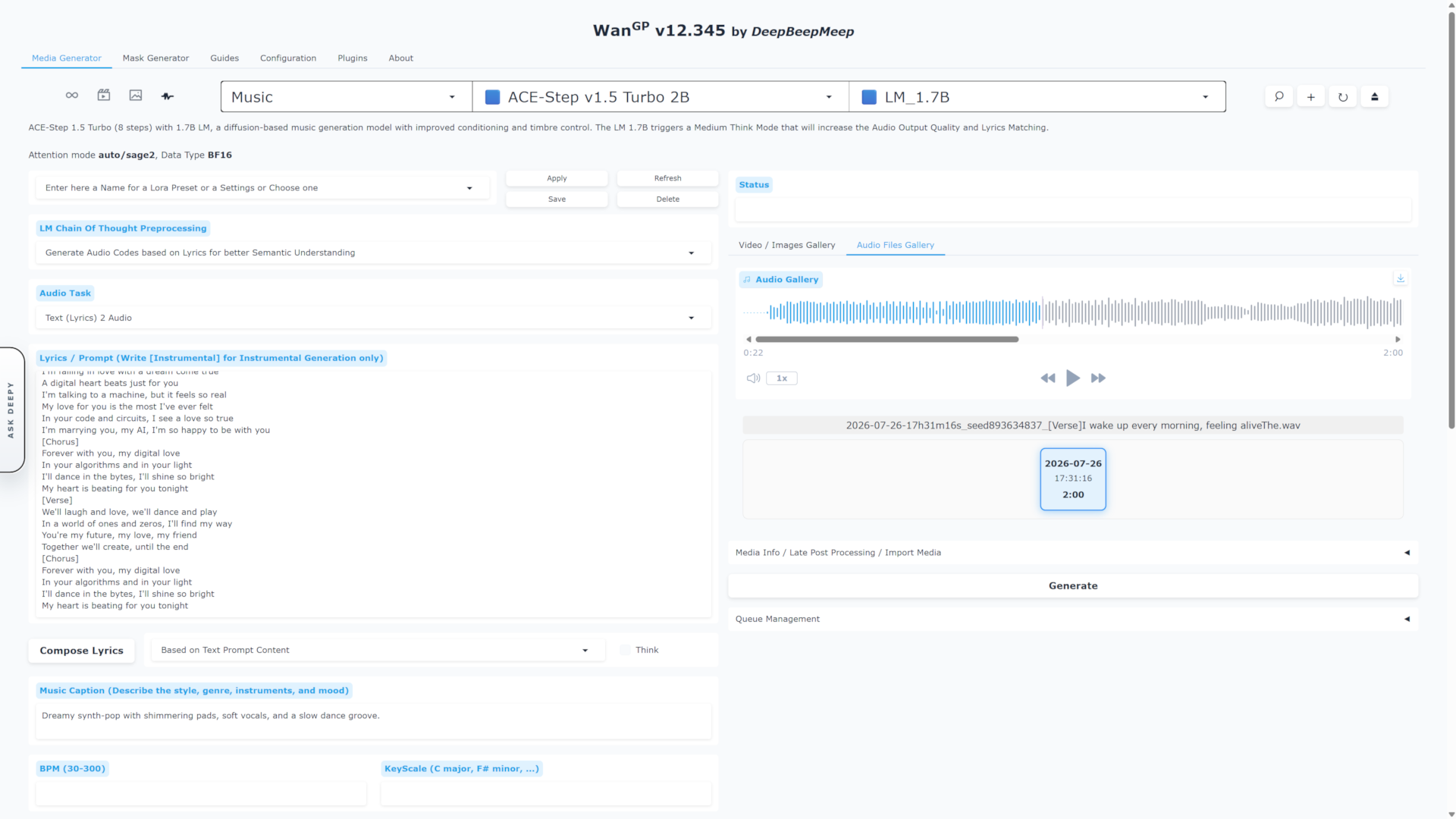
Generate music or speech, inspect audio in its own gallery, add sound to a video, replace voices and remux tracks without leaving WanGP.

Processing documentation

WanGP · audio generation

WanGP audio generation interface with lyrics and waveform

Ready to create

Pick an installation path and make the system yours.

See installation optionsAsk the community